

Your journey to Russia: International tourist guide

Find out how to organize your trip, how to pay, where to get a taxi and which apps to download in advance.
Planning your trip
Check if you need a visa
An electronic visa is available for citizens of a number of countries, which is issued within 4 days of applying, and allows stays of up to 30 days.
You can apply for a visa in advance through the official online system.
Note: Citizens of several countries are eligible for visa-free entry for up to 90 days.
Organizing your trip
If this is your first time traveling to Russia, we recommend contacting a reputable foreign tour operator or a Russian one, operating in the international market. In Russia, the tour operator bears full responsibility for the tourist’s stay in the country and typically provides a contact for a local agent who can assist with any issues.
If you are traveling independently, we recommend booking your hotel in advance through Russian booking systems.
Money – the most important thing
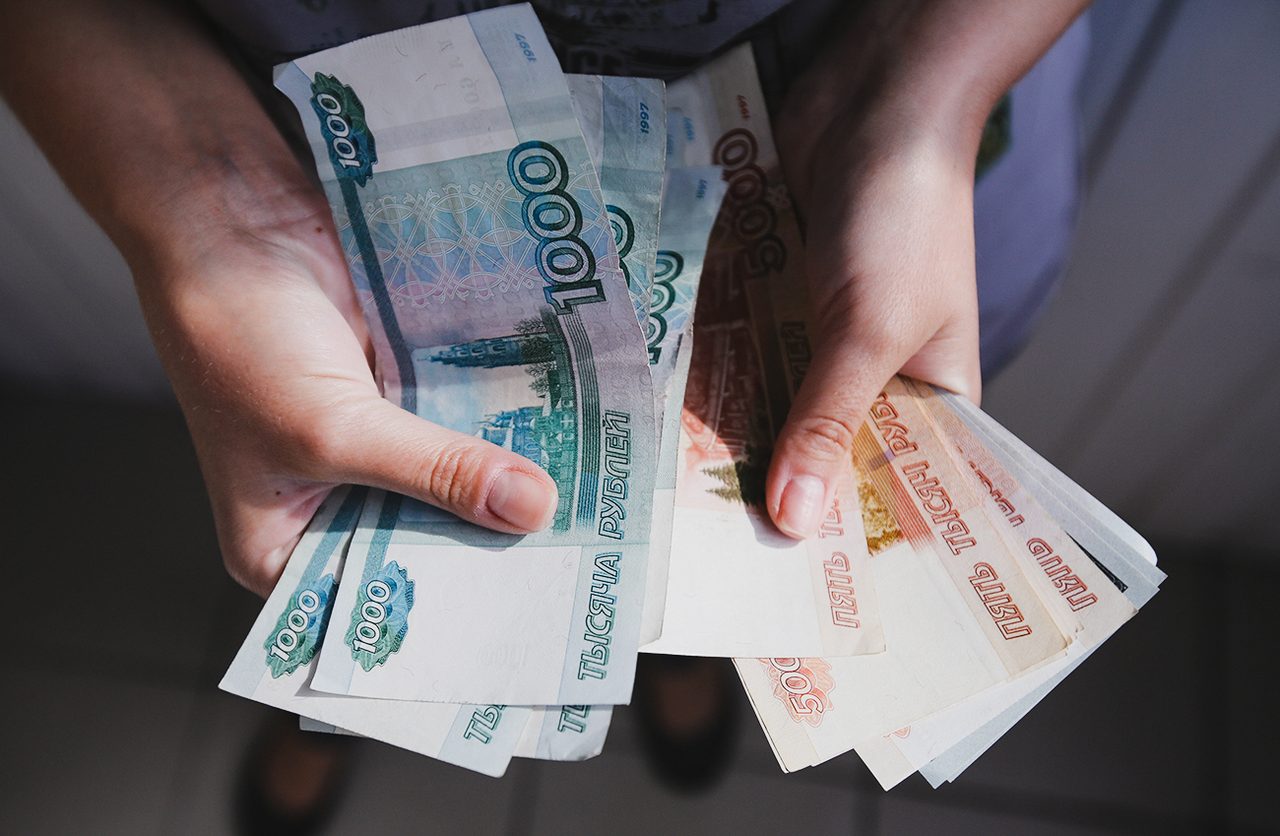
! Visa/MasterCard cards issued abroad don't work in Russia. However, it's possible to top them up using certain Russian payment services:
- YooMoney is a service for topping up e-wallets from abroad. To set up an e-wallet, you need to download the app. You can top it up using Visa or Mastercard (up to 500,000 rubles). Upon arrival in Russia, you can get a physical card issued or simply pay via QR code on your phone.
- Solution – cash: Bring U.S. dollars or euros with you (you are allowed to bring up to $10,000 without declaring). You can exchange them at the airport, or at banks or currency exchange offices in town.
- Alternative – Russian bank card: The most convenient way to pay is with a debit card from the Russian payment system "Mir" (works mainly in Russia and partner countries). You can get it issued immediately upon arrival at the airport. (Sheremetyevo, Domodedovo, Sochi, etc.) Alternatively, a bank representative can issue a debit card at any convenient location (T-Bank, Sber, VTB, RusAg).
Apps – better to download before your flight
Install these apps on your phone in advance:
- For taxis and transport: Yandex Go (similar to Yango, works in many cities, payment possible with Mir card).
- For maps and navigation: Yandex Maps or 2GIS.
- For communication: Telegram or MAX (a fully Russian messenger).
- For the Moscow Metro: Moscow Metro.
Other useful links:
Upon arrival

Taxi – one of the most reliable and hassle-free ways to get around
- Official taxi: Only take taxis with the checkerboard pattern at designated stands. Check the fixed fare in advance and how it might change due to traffic jams or detours.
- Via apps: Use YandexGo, the most popular one. Taxi services operate in more than 30 regions across Russia.
Aeroexpress and Metro - cheap and fast
- Aeroexpress: A comfortable train to the Moscow city center (from Sheremetyevo and Domodedovo airports). Tickets are available at ticket offices, terminals, or via the app.
- Metro: Available in Moscow, St. Petersburg, Kazan, Nizhny Novgorod, Novosibirsk, Yekaterinburg and Samara. Tickets can be purchased with cash or a Mir card at ticket offices and machines at stations, or simply by tapping your Mir bank card on the turnstile.
Important:
Don't forget to exchange cash at the airport.
Note: Information about public transport can be found at stops or on Yandex Maps and 2GIS apps.
How to stay connected
Calls
Your foreign SIM card may support roaming for voice calls. Check the rates with your operator before departure.
Wi-Fi
Free Wi-Fi is available at airports, hotels and cafes. Connecting often requires entering a phone number to receive an access code.
Mobile Internet
When your phone first connects to a Russian network, your foreign SIM card's internet access may be temporarily blocked for up to 24 hours. In order to avoid this, you have to undergo a SIM card verification procedure. You will receive an SMS with a link and be asked to complete a simple task (e.g., solve a puzzle). After that, access will be restored.
Important information in case of unforeseen situations
Flight delays and cancellations
Due to security measures, flights may be delayed or redirected. Do not worry – the airline guarantees that everyone will be transported to their destination. Follow the crew’s instructions and airport announcements.
Your rights: If a flight is delayed by more than 2 hours, the airline must provide meals. If delayed for more than 8 hours at night, it must provide a hotel and transfer. If a flight is canceled, you are entitled to transportation aboard another flight, or a refund.
What to do: Monitor your flight status via the airline's app or the airport's website.
No situation is unsolvable, and Russian authorities and carriers promptly resolve any difficulties that arise.

Emergency services:
101 - fire
102 - police
103 - ambulance
112 - unified emergency services number (can be called even without a SIM card)
Have a safe and enjoyable trip to Russia!